


CarParts.com
4.71.31K Reviews
App Specs
- Version
- 1.0.9
- Updated On
- License
- Free
- Downloads
- 500,000+
- Developer
- Carparts
- Categories
- Auto & Vehicles
- Platform
- Android, iOS
Screenshots


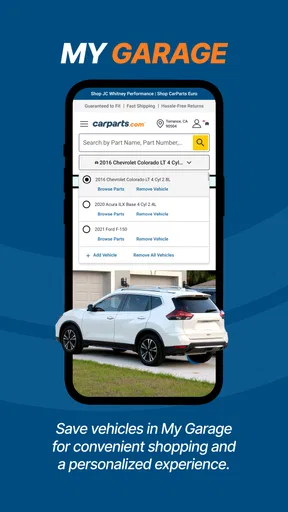
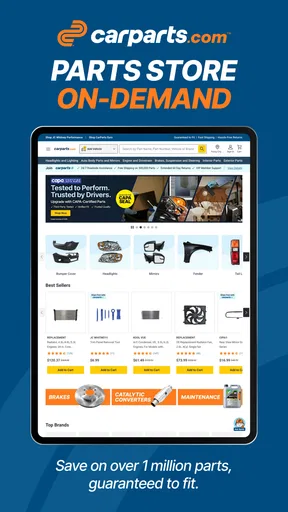
 Analysis by AppCompare
If you’re choosing a place to look for replacement parts, I’d treat CarParts.com as a shopping tool first and a repair guide second. Its appeal is having a large parts catalogue in a phone-friendly format, with vehicle details helping narrow the search. That can make the first step less daunting when you know what has failed but are not sure how to find the correct listing. The key is to use the app to research and compare, then verify the fit and specifications before ordering anything that affects safety or drivability.
What the app is useful for today
This is a free auto-and-vehicles app from Carparts, aimed at people who want to shop for parts without starting from a general web search. It has a 4.7 average from around fourteen thousand ratings, and more than five hundred thousand installs. It is rated for everyone, so the audience is broad, though the actual value is greatest for drivers who already have a particular vehicle or repair in mind.
The central convenience is keeping vehicle-based shopping and product discovery together. Instead of opening a broad marketplace and sorting through listings for several model years, you can enter your car’s details and use that context to focus your search. That makes it handy for routine jobs such as looking for a replacement component, comparing alternatives, or checking what kinds of accessories are available. I would still match the listing against the exact vehicle details and part requirements rather than treating a broad match as permission to order immediately.
Why fitment deserves a second look
A compatibility filter is a useful starting point, not a substitute for careful checking. Vehicles can vary by year, trim, engine, or other configuration details, and a part name that sounds right may not be enough to distinguish between versions. Before buying, I’d compare the product description with the vehicle information and, when available, the number on the old part. For a repair where the wrong component could leave the car unsafe or unusable, I’d also ask a qualified mechanic to confirm the choice.
This extra step is especially worthwhile when shopping under time pressure. If a car is already off the road, the temptation is to select the first plausible result and move on. I’d resist that urge: a few minutes spent checking the precise fit can save the hassle of a return, a delayed repair, or paying for labor twice. The app can help narrow the options, but the buyer still has to make the final compatibility decision responsibly.
Where it sits among parts-shopping options
Compared with searching the open web, a dedicated parts app can feel more focused because the shopping journey is organized around vehicles and parts rather than unrelated results. Compared with visiting a local parts counter, it gives you room to browse and compare at your own pace, without needing to describe a problem on the spot. A local specialist may still be the better choice when you need a part immediately, want someone to inspect the old component, or need advice about a complicated repair.
It is also different from a repair manual or diagnostic tool. I would not rely on a shopping catalogue to tell me what has caused a warning light, how to carry out a difficult procedure, or whether a repair is within my ability. The useful workflow is to diagnose the issue through an appropriate source, identify the required part, and then use the app to investigate purchase options. Keeping those jobs separate makes it less likely that a convenient product search will be mistaken for mechanical guidance.
Worth Reading Before You Choose

EA SPORTS FC Mobile 26 Is a Bigger Football Game, but It Takes Time

Flipboard Shows What News Apps Must Do Beyond the Feed

Switching to Android Auto Means Rethinking Your Driving Routine

Google Calendar Makes a Crowded Week Easier to Manage

Ludo King Makes the Most of the Minutes Between Plans

Baby Panda World Brings Quick Play to Modern Phones, but Its Game Library Feels Busy
Getting Started with CarParts.com
First things first, downloading the CarParts.com app is a breeze. Available on both Android and iOS, it’s just a quick search away in your app store. Once installed, the setup is intuitive. You’ll be prompted to create an account, which, trust me, is worth it for the personalized experience.
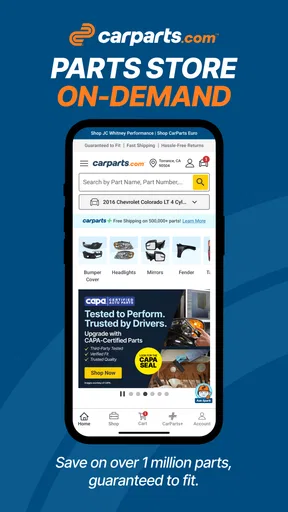
Right off the bat, you’re greeted with a clean and simple interface. It’s not cluttered, which is a relief when you’re trying to find specific parts for your car. You can enter your vehicle’s make and model, and the app tailors its inventory to fit your ride. It’s like having your very own personal car parts assistant!
Browsing and Shopping Made Easy
Navigating through the app feels like a smooth ride. The search function is robust, allowing you to find parts by category, part number, or even through a visual guide. One feature I really dig is the comparison option. You can easily compare different brands and prices to make sure you’re getting the best deal. It’s like window shopping without the actual windows.
Once you find what you’re looking for, adding items to your cart is as straightforward as it gets. The app keeps you updated on stock availability, so there are no nasty surprises at checkout. Plus, the app often features exclusive discounts and promotions. Who doesn’t love a good deal?
Choosing a sensible buying workflow
For a planned repair, I’d start by saving or writing down the vehicle’s full identifying details before opening a search. Then I’d search by the part name, use a part number if I have one, and compare the candidates rather than choosing solely by the lowest price. A photo or visual guide can help orient a search, but it should not outweigh a specification match. This is one of the practical trade-offs of shopping on a small screen: browsing is quick, while careful comparison still takes attention.
A realistic example is a driver who notices a cracked mirror housing while parking. They can use the app to look for a replacement and compare options at home, then confirm the side, finish, and vehicle fit before placing an order. That is a better use case than trying to identify an unfamiliar engine fault from a product catalogue while stranded. If you are unsure whether the damage is limited to the housing or involves wiring or sensors, getting an inspection first is the safer route.
I’d also keep a short list of the parts being considered and check it again before checkout. That small habit helps avoid confusing similar-looking items or ordering an accessory that does not solve the repair. If more than one person maintains the car, sharing the exact product details before buying can prevent duplicate purchases and give the other person a chance to spot a mismatch.
Delivery and Support
After placing an order, the app keeps you in the loop with real-time tracking. I found this particularly handy when I was eagerly waiting for my new brake pads. The delivery was prompt, and the packaging ensured everything arrived in pristine condition.
If you ever run into any issues, the support team is just a tap away. I had a minor hiccup with a part, and reaching out through the app was seamless. They responded quickly and resolved the issue without any hassle. It’s nice to know they’ve got your back.
What to check before relying on delivery
For a repair that determines whether you can use the car, I would not plan around an assumed arrival time alone. Tracking is useful for following an order, but it does not remove the need to make a backup plan if the vehicle is essential for work or family commitments. If the repair is urgent, a nearby parts shop or mechanic may be a better first call; the app makes more sense when you have time to compare and wait for the order.
When a box arrives, I’d check the item against the order before beginning the repair, and keep the packaging and order details until the part has been confirmed as correct. If anything looks wrong, contact support before installing it. That is a simple way to keep a fitment issue from becoming harder to resolve after the part has been handled or fitted.
Revving Up with Extra Features
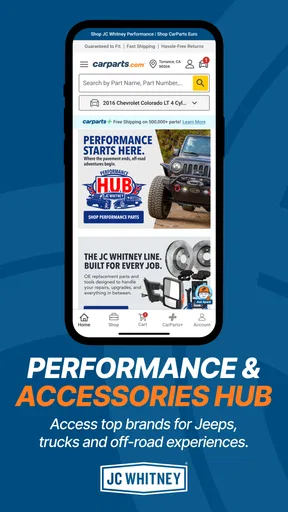
Aside from the standard shopping experience, CarParts.com offers a few nifty extras. The app includes a section for browsing popular accessories. Whether you’re looking to spruce up your interior or add some exterior flair, there’s plenty to explore.
There’s also a blog section with articles and tips for car enthusiasts. It’s a great resource if you’re looking to learn more about car maintenance or DIY repairs. I found myself diving into a few articles on tire care that were both insightful and practical.
Who will get the most from it
I can see this being most useful for owners who handle basic upkeep themselves, people comparing replacement options before visiting a garage, and drivers who want to browse accessories for a known vehicle. It can also help a careful first-time buyer learn the names of parts and understand the range of options before asking a mechanic. The app’s main strength is making product discovery convenient; it is not a promise that every repair is simple or that every listing will suit every variation of a vehicle.
On the other hand, I would skip it as a primary solution if you need a part within the hour, do not know what component has failed, or need a mechanic to diagnose an intermittent problem. A shop that can inspect the vehicle and confirm the part in person is a stronger choice in those situations. It is also not ideal for someone who wants a full repair walkthrough rather than a place to shop and read general maintenance material.
Version, continuity, and what I would watch
The Android release is currently version 1.0.9 and supports devices running Android 7.0 or later. Those details give Android users a straightforward compatibility check before installing. The app was released on July 4, 2023, so its current version is a concrete point of reference, but a version number by itself does not tell me what has changed between releases. I would avoid assuming that a particular search or shopping behavior is new, improved, or guaranteed to stay the same without checking it in the current app.
For someone already using it, the sensible approach is to keep vehicle information accurate and revisit the product details whenever shopping for a different car or a less familiar component. If the interface or catalogue changes over time, those basics remain useful: verify the exact vehicle, compare specifications, and treat fitment as something to double-check. What I would watch in future versions is whether the app continues to make those checks clear and keeps the path from search to support easy to follow.
The Final Word
All in all, the CarParts.com app is a solid tool for anyone looking to maintain or upgrade their vehicle. Whether you’re a seasoned gearhead or just starting out, the app’s user-friendly design and comprehensive inventory make it a must-have for car lovers.
So, if you’re in the market for car parts or just want to browse what’s out there, give this app a spin. It might just become your new favorite co-pilot on the road to a well-maintained car.
My bottom line for a careful buyer
I’d recommend trying it when you have a clear shopping task and enough time to verify what you are buying. The combination of vehicle-focused browsing, comparisons, and access to support can make the research stage less tedious than searching scattered listings. I would not treat convenience as a reason to skip the manual checks, especially for brakes, steering, suspension, or other safety-critical work.
As a free app from Carparts, it is easy to consider without making a purchase commitment, and its everyone-rated status makes it broadly accessible. My advice is simple: use it to narrow the field, compare thoughtfully, and ask for hands-on help when diagnosis or fitment is uncertain. With that approach, it is a useful companion for parts shopping rather than a replacement for sound mechanical judgement.
Pros
- User-friendly interface for easy navigation.
- Comprehensive part search functionality.
- Competitive pricing on a wide range of parts.
- Detailed product descriptions and reviews.
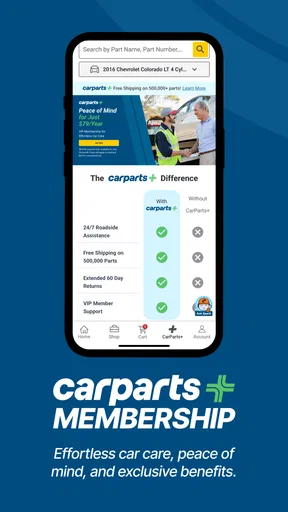
- Fast shipping with tracking options.
Cons
- Limited international shipping availability.
- Occasional stock shortages on popular items.
- Some parts may lack detailed imagery.
- Customer service response times can vary.
- Mobile app lacks some desktop features.
FAQs for CarParts.com
What is CarParts.com and how does it work?
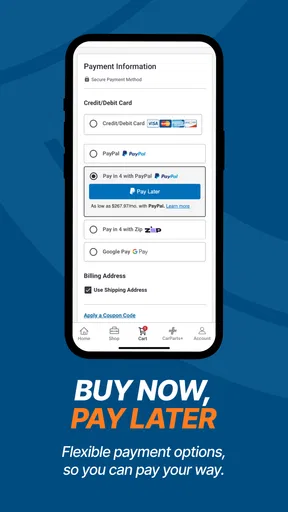
CarParts.com is an app designed to help users find and purchase auto parts and accessories. With an extensive catalog, the app allows users to search for parts by vehicle make and model or by part number. It also offers features like real-time inventory updates, secure payment options, and shipment tracking to ensure a smooth purchasing experience.
Can I trust the quality of the parts available on CarParts.com?
Yes, CarParts.com offers a wide selection of high-quality parts from reputable manufacturers. The app provides detailed product descriptions, specifications, and customer reviews to help you make informed decisions. Additionally, the company is known for its commitment to quality assurance, so you can shop with confidence.
Does CarParts.com offer any warranty or return policy?
CarParts.com offers a standard warranty on most parts, ensuring they meet quality and performance expectations. Additionally, the app provides a user-friendly return policy that allows you to return or exchange parts if they are defective or do not fit your vehicle. Always check the specific terms for each item before purchasing.
How does CarParts.com handle shipping and delivery?
CarParts.com provides multiple shipping options to cater to different needs. The app allows you to track your order in real-time and offers estimated delivery times based on your location. For urgent needs, expedited shipping is available, ensuring that you receive your parts as soon as possible.
Is customer support available if I have issues with my order?
Yes, CarParts.com offers dedicated customer support to assist with any issues or inquiries. Users can contact support through the app via live chat, email, or phone support. The team is available to help with order tracking, returns, or any technical difficulties you might encounter.


